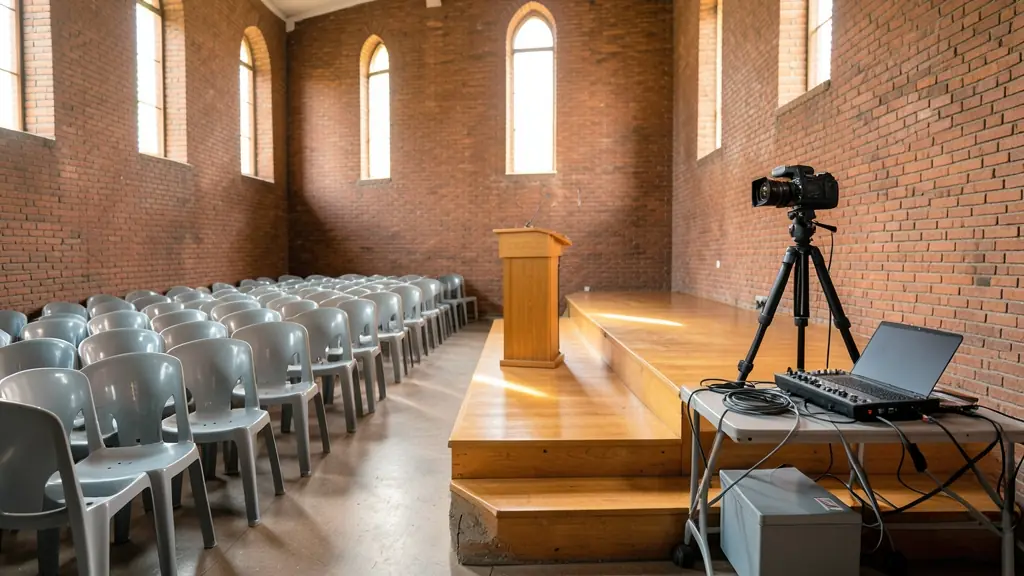
Half the people who want to be at a service, a funeral or an AGM cannot get there: a granny in Limpopo, a brother in London, a shareholder in Cape Town. Live streaming services put them in the room. A streaming crew brings cameras, a vision mixer to switch between them, a clean audio feed from the sound desk and an upload line that will not drop, then hands over the recording afterwards. Event live streaming services differ from filming mostly in one way: there is no second take.
Sound first, then cameras
Viewers forgive a soft picture; they leave when they cannot hear. The crew should take a clean feed from the venue's sound desk, not a camera mic at the back of the hall. Ask the venue's sound person for a spare output and check the levels at rehearsal. Then cameras: one wide shot locked off, one operator on the speaker, perhaps a third on the choir or the panel. The vision mixer cuts between them, adds slides and names.
The upload line: fibre, LTE or both
A 1080p stream needs about 4 to 6 Mbps of upload per destination, and you want roughly double that spare. Wired fibre is the most stable. Venue Wi-Fi shared with two hundred guests is not. An LTE router works where coverage is strong, and bonding two or three SIMs with the fibre gives a backup if one drops. Run a speed test at the same time of day as the event, from the spot where the streaming desk will stand, not from the office upstairs. The bandwidth calculator works out what your stream needs.
Power when load shedding hits
When the lights go, the router, the mixer and the cameras go with them unless there is a plan. A UPS keeps the streaming desk and the router up for a short cut, and a generator or the venue's backup covers a long one. Remember the tower down the road may also lose power, which hits LTE. The battery runtime calculator helps size what you need.
Private link or public stream
A funeral or an AGM often goes on an unlisted or password link sent only to family or shareholders. A church or a conference may want a public stream on the big video platform. Songs played over a public stream can be muted if they are not licensed, so ask about the music. People in the front rows should know they are on camera.
What to put in your request
- Give the venue and how long the event runs
- Say if there is fibre and how fast its upload is
- List where it streams: private link or public
- Say if there is a sound desk and slides
- Mention the load shedding plan at the venue
Live Streaming Services: who asks for them and why
- Couples and their families: a wedding ceremony streamed to relatives overseas and grandparents too frail to travel
- Families: matric dances, 21sts, memorials: a funeral or memorial streamed on a private link to family who cannot attend
- Companies, SMEs and agencies: an AGM, a town hall or a results briefing streamed to staff and shareholders
- Event organisers, venues and conference planners: two conference days streamed to delegates who could not fly in, with slides mixed in
- YouTubers, podcasters and content creators: a live podcast or a launch streamed with two cameras and guest microphones
- Musicians, bands, DJs and choirs: a concert or album launch streamed from the venue with the sound desk mix
- Estate agents, developers, lodges and venues: a development launch or a show day streamed for buyers in other cities
- Churches, schools, NGOs and sports clubs: a Sunday service, a school prize giving or a club final streamed every week